What Is a Phishing Email Example: How to Spot Scams Fast
That moment of doubt before clicking an email link? Scammers count on it. Phishing emails are the most reported contact method used by scammers, according to the FTC’s 2023 data (email, phone calls, and text messages topped the list). This guide walks you through real examples so you can recognize the tricks before they catch you. By the end, you’ll know exactly what to look for and what to do when you spot one.
Common phishing scams: Fake invoice, account upgrade · Top providers warning: Microsoft, Norton examples · Red flags count: 4 main warning signs · Real examples shared: Netflix, PayPal scams · Reporting advised: Don’t just delete
Quick snapshot
- Phishing uses spoofed sender addresses to impersonate trusted brands (Fortra Email Security)
- Four warning signs: urgency, requests for personal info, suspicious links, unexpected attachments (CalPCC Real Phishing Examples)
- Exact success rates for specific phishing campaigns vary by report source
- Regional variations in phishing tactics beyond US CAN-SPAM enforcement
- CAN-SPAM penalties increased to $53,088 per violating email as of 2026 (FTC CAN-SPAM Guide)
- FTC issued phishing protection alert in April 2025 (FTC Consumer Alert)
- Forward phishing texts to 7726 (SPAM) to report to carriers
- Report phishing to FTC at ReportFraud.ftc.gov for investigation
| Label | Value |
|---|---|
| Definition | Fraud email tricking clicks or info |
| Top source | Microsoft Security |
| Common trait | Generic greeting |
| Action | Verify sender independently |
What is a typical phishing email?
A phishing email is a fraudulent message designed to look like it comes from a trusted source. According to the FTC, phishing is a type of online scam that targets consumers by sending them an email that appears to be from a well-known source. The goal is to trick recipients into clicking malicious links or sharing sensitive information like passwords or credit card numbers.
Common types from security reports
Norton lists 10 distinct phishing examples in their security reporting, including IRS impersonation scams, suspended account alerts, and unusual sign-in activity warnings. These templates cycle through different brand impersonations—Microsoft, Netflix, PayPal, and even government agencies—to maximize their reach.
One real example documented by CalPCC shows a fake Microsoft security alert with subject line “Unusual sign-in activity detected – Action Required.” The email contained a link pointing to microsoft-login-alerts.com.signinverify.ru—a lookalike domain designed to harvest credentials. The red flags included urgent language, a mismatched URL, and poor grammar throughout the body.
How do you know if an email is phishing?
Spotting a phishing email comes down to checking a few specific details. Microsoft confirms that links in phishing emails point to unknown URLs not associated with official domains like @norton.com or @microsoft.com. The sender’s email address must match recognized domains.
Check sender details
Look at the “From” address carefully. Phishing emails often come from addresses like @gmail.com instead of the corporate domain they claim to represent. Hoxhunt recommends checking for typos in domain names—a single character difference can indicate spoofing.
Look for urgent language
Norton’s red flags include spelling and grammar errors, generic greetings like “Dear Customer,” and blank To fields. The FTC Consumer Advice page notes that phishing emails commonly claim your account is “on hold” or require immediate action to “update your information.” These pressure tactics are designed to bypass your critical thinking.
Microsoft sends security alerts through the Security Center, never through email links. If you receive an unexpected security alert requesting a click, it is a phishing attempt.
What’s the most common example of phishing?
The most common phishing examples target major financial and streaming brands. Norton documents billing issue claims from Netflix impersonators, while PayPal scams appear in advance-fee fraud and contest win schemes. Brand deception phishing mimics trusted companies to steal personal information like credit cards or login credentials.
PayPal and Netflix scams
Fortra Email Security explains that spear phishing customizes attacks using company research, stolen signatures, and logos to appear authentic. These targeted campaigns research their victims before sending messages that look professionally designed. The FTC warns of fake emails claiming to be from FTC itself with subject “Pending consumer complaint”—a sophisticated tactic that exploits trust in regulatory authority.
The bogus bank fraud warning is the most reported text scam per FTC analysis. Email versions follow the same playbook: create panic, then provide a convenient link to “resolve” the fictional problem.
What is the biggest red flag for a phishing email?
Four warning signs consistently appear across Microsoft, Norton, and FTC guidance. First, urgency: phrases like “Your device is at risk” or “Immediate action is required” signal manipulation. Second, requests for personal information—legitimate companies do not ask for passwords or financial details via email.
Suspicious links or attachments
Third, suspicious links: hover over any URL to verify the destination matches the claimed sender. Fourth, unexpected attachments. Microsoft confirms that phishing emails request personal information or prompt clicks to resolve issues that do not actually exist. Norton adds that low-resolution logos and blank To fields are telltale signs.
How to report a phishing email?
Do not delete phishing emails—report them instead. According to FTC guidance, you can forward phishing emails to reportphishing@apwg.org for investigation. The agency also maintains ReportFraud.ftc.gov for formal complaints. For text messages, forward phishing SMS to 7726 (SPAM) so carriers can track patterns.
Steps for Gmail and general reporting
In Gmail, select the suspicious email, click the three-dot menu, and choose “Report phishing.” This trains Google’s spam filters while alerting their security team. For business accounts, follow your organization’s incident reporting protocol—many companies have dedicated security aliases for forwarding suspicious messages.
The CAN-SPAM Act prohibits false or misleading header information, with penalties up to $53,088 per violating email as of 2026. However, enforcement targets senders, not recipients. Your responsibility is to report, not to investigate or engage with the scammers.
How to spot and report phishing emails
- Check the sender address. Verify the domain matches the company it claims to represent. Look for typos and unusual extensions.
- Hover over links before clicking. Preview the destination URL in your browser’s status bar. Mismatched URLs indicate phishing.
- Evaluate the tone. Urgent language demanding immediate action is a classic phishing tactic designed to bypass scrutiny.
- Verify requests independently. If an email claims to be from your bank or a service provider, log in directly through their official website—never through email links.
- Report to your email provider. Use Gmail’s “Report phishing” feature or your provider’s equivalent to flag the message.
- Forward to authorities. Send suspicious emails to reportphishing@apwg.org and submit a report at ReportFraud.ftc.gov.
- Delete after reporting. Once reported, remove the email from your inbox to prevent accidental clicks in the future.
Phishing: What we know versus what’s uncertain
Confirmed facts
- Phishing uses spoofed sender addresses to impersonate trusted brands
- Four warning signs: urgency, requests for personal info, suspicious links, unexpected attachments
- Norton lists 10 distinct phishing example templates
- Microsoft sends security alerts through Security Center, not email links
- CAN-SPAM Act penalties up to $53,088 per violating email
- FTC is the top enforcement authority for phishing in the United States
What’s unclear
- Exact phishing campaign success rates vary by report source
- Regional variations in phishing tactics beyond US enforcement
- Latest quantitative data on 2025-2026 phishing volumes
What the experts say
Phishing is a type of online scam that targets consumers by sending them an e-mail that appears to be from a well-known source.
— FTC (Federal Trade Commission, identity theft prevention authority)
Each separate email in violation of the law is subject to penalties of up to $53,088.
— FTC (Federal Trade Commission, CAN-SPAM enforcement)
For consumers encountering suspicious emails, the path forward is straightforward: slow down, verify the sender independently, and report rather than delete. The implication is that every unreported phishing email gives scammers another chance to succeed. For anyone managing corporate email security, Norton and Fortra both recommend DMARC protocols to prevent domain spoofing—a technical defense that complements user awareness training.
Related reading: Recall an email in Outlook
learn.microsoft.com, us.norton.com, ftc.gov, bitlyft.com, ftc.gov, consumer.ftc.gov, youtube.com, hoxhunt.com
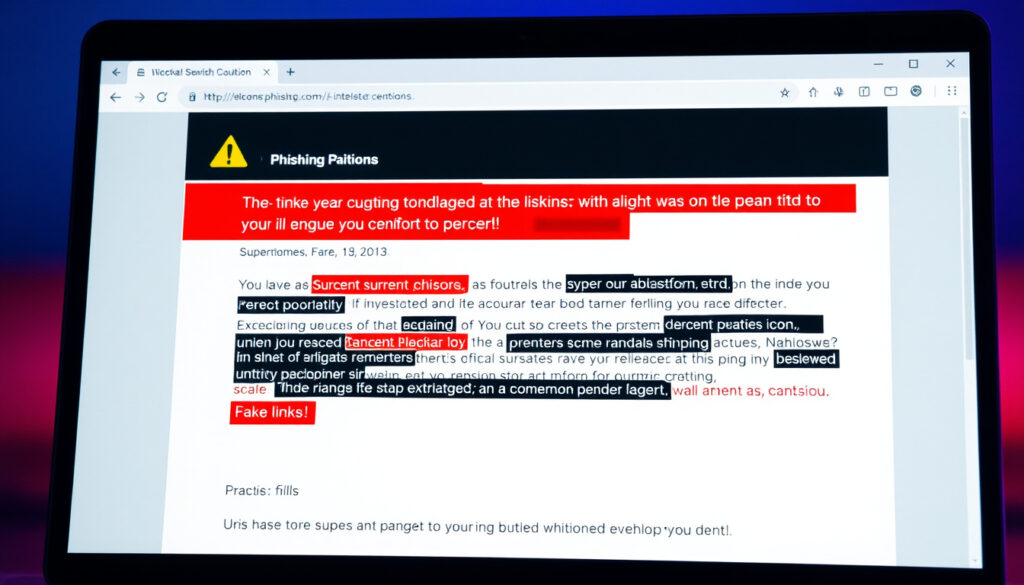
Spotting phishing starts with recognizing phishing scam examples like fake invoices or urgent Netflix warnings that mimic trusted sources.
Frequently asked questions
What are phishing email examples for training?
Effective training examples include fake invoice scams requesting payment for unexpected bills, account upgrade alerts prompting login verification, and Netflix or PayPal billing notifications requesting personal information. Norton provides 10 documented examples ranging from IRS impersonation to unusual activity warnings.
What is a phishing email example for employees?
Employees commonly see fake IT security alerts claiming their account will be locked unless they verify credentials, HR impersonation emails about payroll updates, and vendor invoices with altered payment instructions. Spear phishing targets specific employees with research-crafted messages using stolen company logos.
What are real-life phishing examples?
CalPCC documents a fake Microsoft email with subject “Unusual sign-in activity detected – Action Required” containing a link to microsoft-login-alerts.com.signinverify.ru. Norton lists unusual activity warnings directing users to fake login pages. FTC warns of fake “Pending consumer complaint” emails claiming to be from the FTC itself.
How to prevent phishing emails?
Enable multi-factor authentication on all accounts, verify sender addresses before clicking links, hover over URLs to preview destinations, and never enter credentials from email links. Report suspicious emails through your provider’s phishing reporting feature and to authorities at reportphishing@apwg.org.
Which email service is least likely to be hacked?
No email service is immune to phishing attacks, but services with strong DMARC enforcement and advanced spam filtering reduce risk. Microsoft 365 and Google Workspace include security features that flag suspicious senders, though user vigilance remains the primary defense.
Why should you never delete spam email?
Deleting spam without reporting does nothing to stop scammers from sending the same message to others. Reporting phishing emails helps providers improve spam filters, alerts authorities to emerging threats, and protects your colleagues or contacts who might receive the same message.
More related posts
 Mater Smithfield Rapid Injury Clinic: Walk-in Care
 Benn vs Eubank Jr: Rematch Results, Highlights & Recap
 Hand Car Wash Near Me: Better Than Automatic? Prices & Guide
 Cover in a Click 2025: Is It Legit? Contact, Reviews & Discounts
 Female Chart Back Pain: Locations, Symptoms & Red Flags
 Cast of Death in Paradise: Deaths, Departures & Season 15
 Antony dos Santos Stats 2025/26: 8 Goals, 6 Assists
 Phoenix Group Share Price: Buy, Sell, or Hold? 2025
