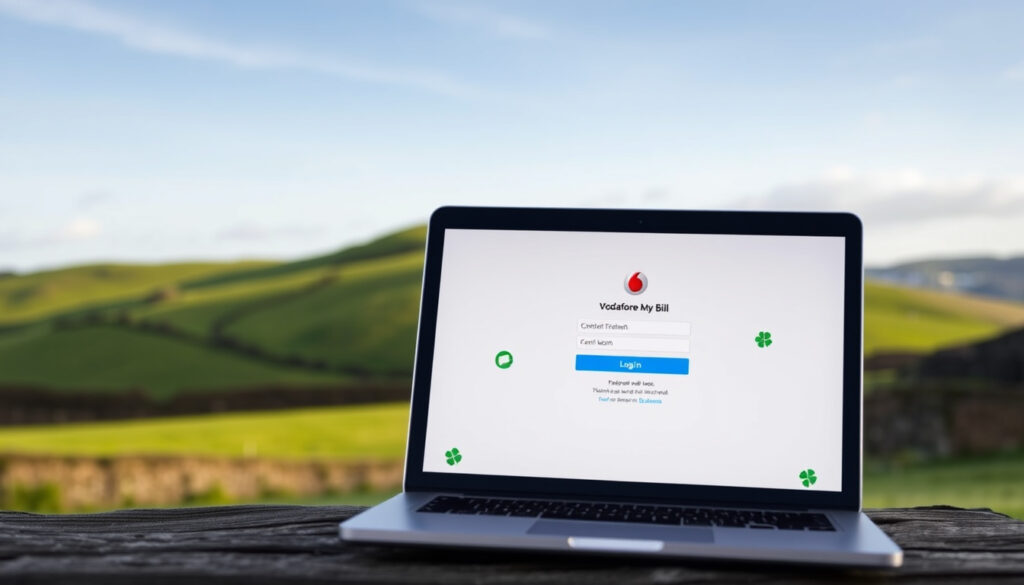
Vodafone My Bill Login: Ireland Bills Access Guide
If you’re a Vodafone Ireland customer, you’ve probably found yourself hunting through email folders just to locate that one bill PDF. The My Vodafone portal puts your billing history front and center — you can pull up the last 12 months of statements and six months of call details without sorting through old inboxes. Here’s how to log in, view, download, and manage everything connected to your Vodafone account.
Bills accessible online: Last 12 bills ·
Usage history viewable: 6 months ·
Primary login page: n.vodafone.ie/home/login.html ·
App availability: Google Play · iOS App Store ·
Account management hub: n.vodafone.ie/support/bill-pay-hub
Quick snapshot
- Last 12 bills and 6 months of call details accessible (Vodafone Ireland Official Support)
- Account number found on the top right of every bill PDF (Vodafone Ireland Official Support)
- No specific two-factor authentication setup details published
- Accessibility features for My Vodafone not confirmed
- A new version of the My Vodafone app was released recently (Vodafone Ireland Official Support)
- 12-month bill access limit remains ongoing policy (Vodafone Ireland Official Support)
- Customers without accounts can register using their mobile number
- Bills older than 12 months require customer care chat request
Below is the key reference data pulled from official Vodafone Ireland documentation.
| Field | Value |
|---|---|
| Main Login URL | https://n.vodafone.ie/home/login.html |
| Alternate Login | https://www.vodafone.ie/auth |
| App Store Link (Google Play) | https://play.google.com/store/apps/details?id=com.VodafoneIreland.MyVodafone |
| App Store Link (iOS) | https://apps.apple.com/us/app/my-vodafone-ireland/id450785639 |
| Bill Management | https://n.vodafone.ie/support/bill-pay-hub/bill-pay/manage-your-account.html |
| EFT IBAN | IE04BOFI90001746687485 |
| EFT Swift Code | BOFIIE2D |
| Supported Browsers | Firefox 26+, Chrome 31+, Safari 5-7, IE 8-11 |
| iOS App ID | 450785639 |
“You can access your last 12 bills and 6 months of call details on My Vodafone.”
— Vodafone Ireland Official Documentation
How do I view My Vodafone bill?
The My Vodafone portal gives bill pay customers access to their last 12 bills and 6 months of call details from a single dashboard (Vodafone Ireland Official Support). Once logged in, you can view, download, or print each statement without needing to contact customer care.
“With our app, it’s easier than ever to manage your Vodafone account right from your phone.”
— My Vodafone Ireland App Description
Via web login
- Navigate to n.vodafone.ie/home/login.html or www.vodafone.ie/auth
- Enter your mobile number or email address and your My Vodafone password
- Click the ‘Download bill’ button next to the bill you want to view
- Save the PDF — Adobe Reader is required for opening the file (Vodafone Ireland Official Support)
Using My Vodafone app
- Open the My Vodafone app (free on Apple App Store and Google Play)
- Log in with your mobile number and My Vodafone password
- Tap ‘Bills & Payments’ at the bottom left of the screen
- Tap the download icon next to the bill you need (Vodafone Ireland Official Support)
The app and web portal both pull from the same billing backend — your experience won’t differ depending on which you use. For quick balance checks on the go, the app’s bottom navigation gets you to bills faster than navigating the web portal.
The implication: if you’re frequently on the move, the app saves time, but the web portal offers the same data with more screen real estate for reviewing older statements.
How do I check My Vodafone bill online?
The Bill Pay Hub serves as the central account management page for Vodafone Ireland bill pay customers. From here you can access every bill, update account settings, and change how you receive invoices.
Steps to login
- Go to n.vodafone.ie/home/login.html
- Use your registered mobile number or email address as the login identifier
- Enter your password — if you’ve forgotten it, use the password reset link on the login page
- Once logged in, you land on your account dashboard where recent bills are visible
Bill pay hub access
- From the dashboard, click ‘Bills & Payments’ to see statement history
- Each bill row shows the billing period, amount due, and a download option
- Supported browsers include Firefox 26+, Chrome 31+, Safari 5-7, and Internet Explorer 8-11 (Vodafone Ireland Official Support)
- You receive a text and email notification whenever a new bill is ready to view (Vodafone Ireland Official Support)
If you prefer paperless billing, switching to email invoices through Account preferences removes postal delays. Bills older than 12 months cannot be viewed online — for those, you’ll need to request a copy via customer care chat.
The pattern: bill pay customers who enable email notifications cut out the step of checking the portal manually every cycle.
How can I get My Vodafone bill statement?
Your statements are available in PDF format directly from the My Vodafone portal or app. The download process differs slightly between the two platforms, but both produce the same official document.
Download options
- Web portal: Log in, navigate to ‘Bills & Payments’, click ‘Download bill’ for the desired statement (Vodafone Ireland Official Support)
- Mobile app: Open ‘Bills & Payments’, tap the download icon next to the bill (Vodafone Ireland Official Support)
- Print support: After downloading, roll over the bottom of the PDF to find the print icon — select your pages and print
- Adobe Reader required for viewing: Ensure you have it installed before downloading (Vodafone Ireland Official Support)
Statement history
- Last 6 months of call details are available under ‘Usage’ in the My Vodafone menu (Vodafone Ireland Official Support)
- Call details include minutes, texts, and data usage for each billing cycle
- Bills older than 12 months require a customer care chat request — they cannot be accessed through the portal or app (Vodafone Ireland Official Support)
- The 10-digit account number appears on the top right of every bill PDF — you’ll need this for EFT payments (Vodafone Ireland Official Support)
The catch: the 12-month window means annual budget reviews must happen before older statements become inaccessible without contacting customer care.
How do you check your balance for Vodafone?
Both the My Vodafone app and web portal show your current usage against your plan limits. This includes remaining minutes, texts, and data — useful for tracking where you stand mid-cycle.
App balance check
- The My Vodafone app shows your remaining calls, texts, and data balance in real time (Vodafone Ireland Official Support)
- Available for both iPhone and Android smartphones (Selectra Ireland tech comparison)
- Usage history lets you compare recent billing periods to spot trends
Web dashboard
- Log in to n.vodafone.ie/support/bill-pay-hub
- Select ‘Usage’ from the My Vodafone menu
- View a breakdown by call type, text, and data for the last 6 months
- Current bill cost tracking updates as you use your phone
The implication: mid-cycle balance checks via the app prevent bill shock at month-end, especially for users on limited data plans.
How to view Vodafone bill?
Whether you’re on a computer or your phone, viewing your Vodafone bill takes under a minute once you’re logged in. Here’s what you need to know about Ireland-specific access and payment features.
Ireland specific login
- Use www.vodafone.ie/auth for the primary authentication page
- Registration requires your mobile number — follow the on-screen steps to create a My Vodafone account if you don’t have one (Vodafone Ireland Official Support)
- Business customers use the same Bills & Payments section with additional support resources (Vodafone Ireland Business Support)
Payment and management
- Secure card payments are available through the ‘Make a payment’ option in My Vodafone (Vodafone Ireland Official Support)
- Update payment method: Log in > My settings > Account settings > Payment method > enter details > save
- For EFT payments, use IBAN IE04BOFI90001746687485, Swift Code BOFIIE2D, and your 10-digit account number as the reference (Vodafone Ireland Official Support)
- Update billing address through Account settings > Billing details — use Eircode if known (Vodafone Ireland Official Support)
- Change billing email: My settings > Account settings > enter new email > save
- Change password: My settings > Personal settings > Security information > edit > save
The implication: business users get the same core functionality as consumer accounts, with additional dedicated support pages layered on top.
Logging in for the first time
New to My Vodafone? The setup process walks you through creating an account tied to your mobile number. Existing customers who haven’t registered can do so directly from the login page by selecting ‘Create account’ and following the prompts.
- Go to n.vodafone.ie/home/login.html
- Click ‘Register’ or ‘Create account’
- Enter your Vodafone Ireland mobile number
- Follow the on-screen verification steps
- Set your password and complete registration
- Log in with your new credentials to access bills and account features
The My Vodafone app login follows the same process: open the app, enter your mobile number and password, and you’re directed to the dashboard where ‘Bills & Payments’ is immediately accessible (Vodafone Ireland Official Support).
Account settings walkthrough
Once logged in, the My Vodafone portal puts several account management tools in one place. Here’s how to handle the most common updates without contacting customer care.
Password, email, and address updates
- Password change: Menu > My settings > Personal settings > Security information > edit > save (Vodafone Ireland Official Support)
- Billing email update: Menu > My settings > Account settings > enter new email > save
- Billing address: Menu > My settings > Account settings > Billing details > update > save — Eircodes are supported for Irish addresses (Vodafone Ireland Official Support)
- Payment method: My settings > Account settings > Payment method > enter details > save
- Invoice format: Switch to email invoices via Account preferences > Invoice
App-specific features
- Live chat support directly within the app for quick questions
- Webtexts functionality integrated into the messaging section (Vodafone Ireland Official Support)
- Purchase add-ons and top-ups without leaving the app
- Monitor current bill cost as usage accumulates through the cycle
What this means: the app’s live chat removes the friction of finding support contact details when you hit an issue mid-billing-cycle.
Related reading: Gas and Electricity Ireland · Car Insurance Ireland Compare
n.vodafone.ie, n.vodafone.ie, n.vodafone.ie, n.vodafone.ie, n.vodafone.ie, play.google.com
Irish Vodafone users checking balances or call details through the portal may also want to review cheap Vodafone SIM deals before committing to a plan.
Frequently asked questions
What is the My Vodafone app?
The My Vodafone app is a free mobile application for iPhone and Android smartphones that lets you view bills, check usage balances, manage your account, and pay bills directly from your device. It provides the same core functionality as the web portal but optimized for mobile screens.
How do I reset my My Vodafone password?
On the login page at n.vodafone.ie/home/login.html, click the ‘Forgotten password’ or ‘Reset password’ link. Enter your registered mobile number or email address, and Vodafone will send recovery instructions to your contact on file.
Can I pay my bill through the app?
Yes. The My Vodafone app includes a ‘Make a payment’ option under the Bills & Payments section. Secure card payments are processed directly through the app without needing to log in to your bank.
What details do I need to login?
You need your registered mobile number or email address and your My Vodafone password. If you haven’t registered yet, you can create an account using your mobile number through the registration flow on the login page.
How to register for My Vodafone?
Go to n.vodafone.ie/home/login.html and select ‘Create account’. Enter your Vodafone Ireland mobile number, complete the on-screen verification steps, set your password, and you’re ready to log in and access your bills.
Does My Vodafone show data usage?
Yes. The app and web portal both display your remaining calls, texts, and data balance. Usage history under the ‘Usage’ tab shows a breakdown of the last 6 months, including data consumed per billing cycle.
Is there a Vodafone home login?
The primary login at n.vodafone.ie/home/login.html covers both mobile and home account types. If you have a Vodafone TV Play subscription, similar payment and billing management options are available through the same account dashboard.
More related posts
 How to Recall an Email on Outlook – Complete Step-by-Step Guide
 Horse Racing Fast Results Today – Live UK & Ireland
 Derby County vs West Brom: Channel, Rivalries, Head-to-Head & Prediction
 Personal Tax Return Software 2025: Free vs Paid Compared
 Fairview Park Concerts 2025: Dates, Lineup, Tickets
 La Liga Standings 2025-26: Current Table, Champions, History
 Department of Foreign Affairs – Complete Philippines Overview
 Cast of Batman Begins – Full Cast List and Key Roles
